How to use IPOasis with Adspower
This guide explains how to integrate IPOasis proxies with the AdsPower anti-detect browser.These two work together to create isolated browsing environments for each account. With dedicated IP addresses and separated browser fingerprints, users can manage multiple accounts, target specific regions, and maintain higher account stability across platforms.
What You’ll Need
Before configuring IPOasis proxies in AdsPower anti-detect browser, ensure you have:
✔ A valid IPOasis residential or datacenter proxy package
✔ Complete proxy authentication information
✔ A running Adspower account with device access
What is Adspower?
AdsPower is an anti-detect browser designed for managing multiple online accounts securely. It creates isolated browser profiles, each with its own unique digital fingerprint (such as cookies, user agent, time zone, and device parameters), so platforms see them as completely separate users. This helps prevent account linkage, reduces detection risk, and makes it easier for individuals or teams to run multi-account operations, especially in areas like social media, e-commerce, and advertising.
How to Set Up IPOasis Proxy in Adspower?
Step 1:
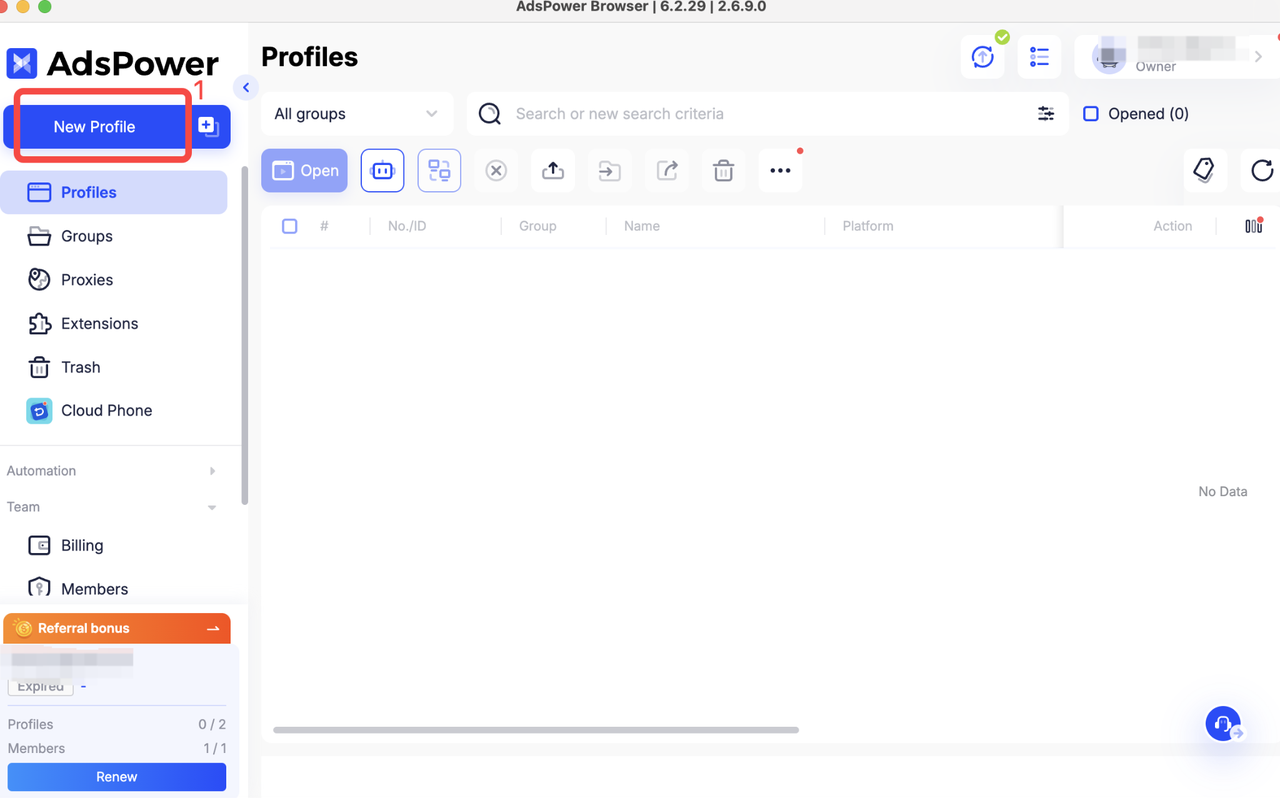
After downloading and installing the Adspower client, click create “ New Profile”.
Step 2:
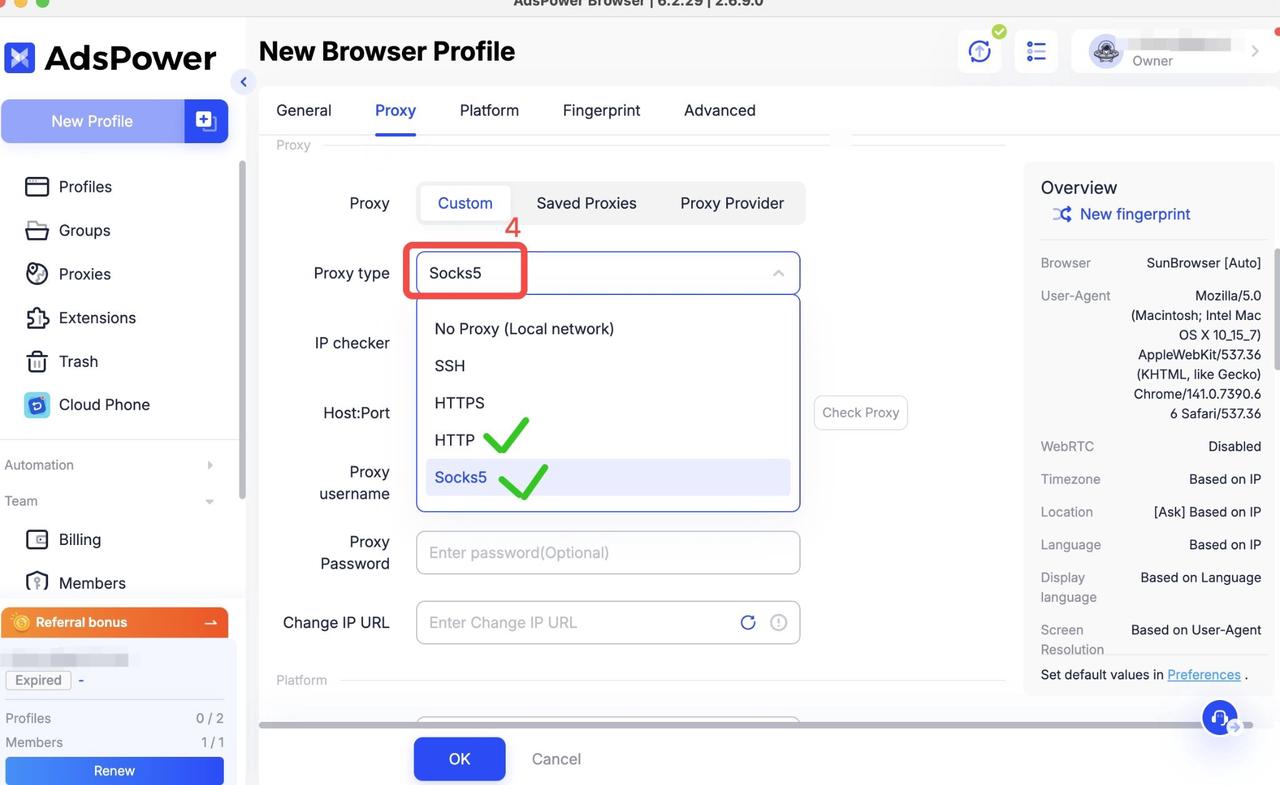
- After entering the Create New Profile page, go to the“ Proxy ”section.
- Here, you can choose the proxy protocol you need, either HTTP or SOCKS5.(In this guide, we’ll use SOCKS5 as an example.)
Step 3:
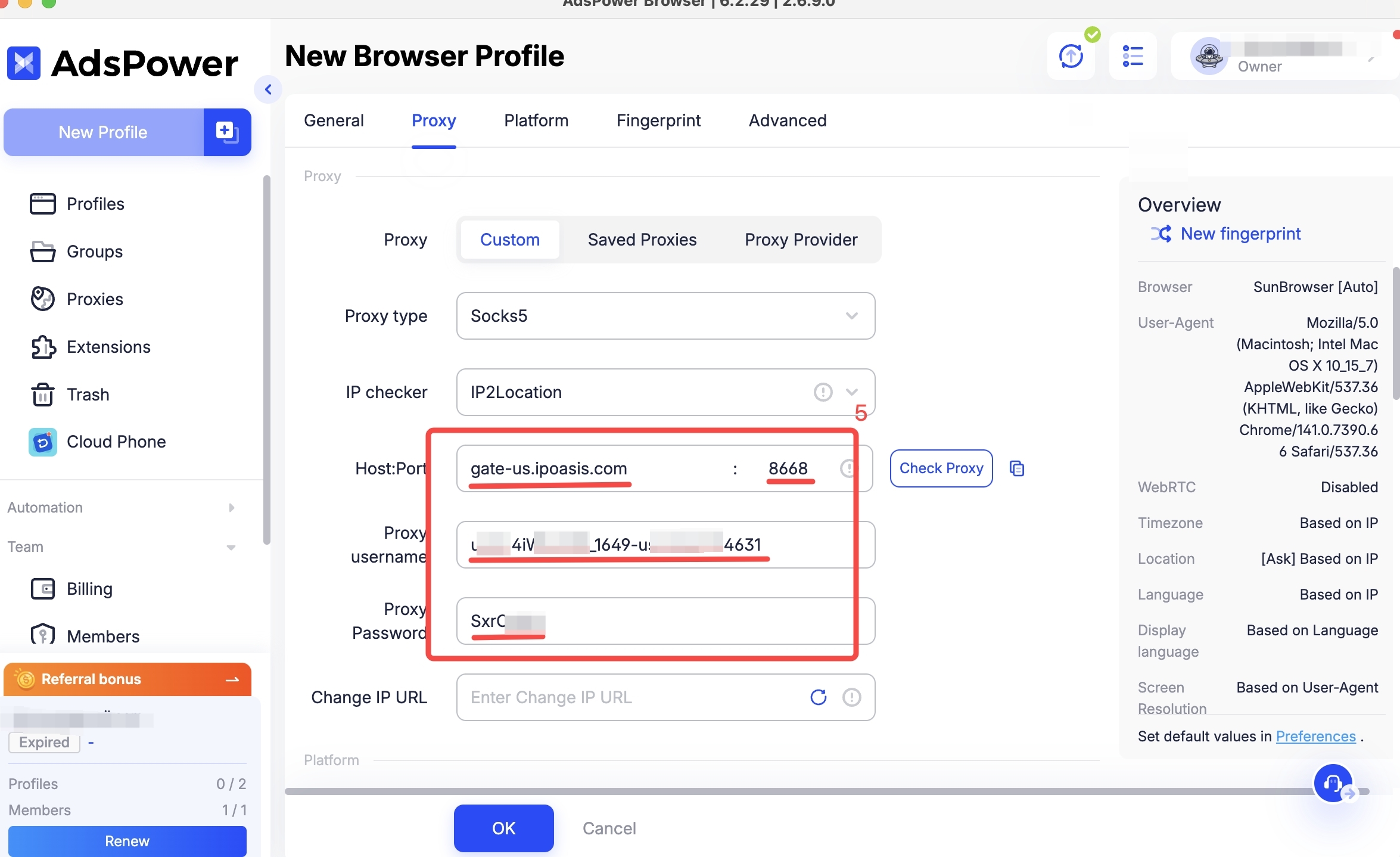
- After selecting the proxy protocol, the IP checker usually does not need to be changed unless you have specific requirements.
- Next, generate the proxy you need from the IPOasis dashboard, then return to the Adspower page and enter the corresponding host, port, username, and password.
Step4:
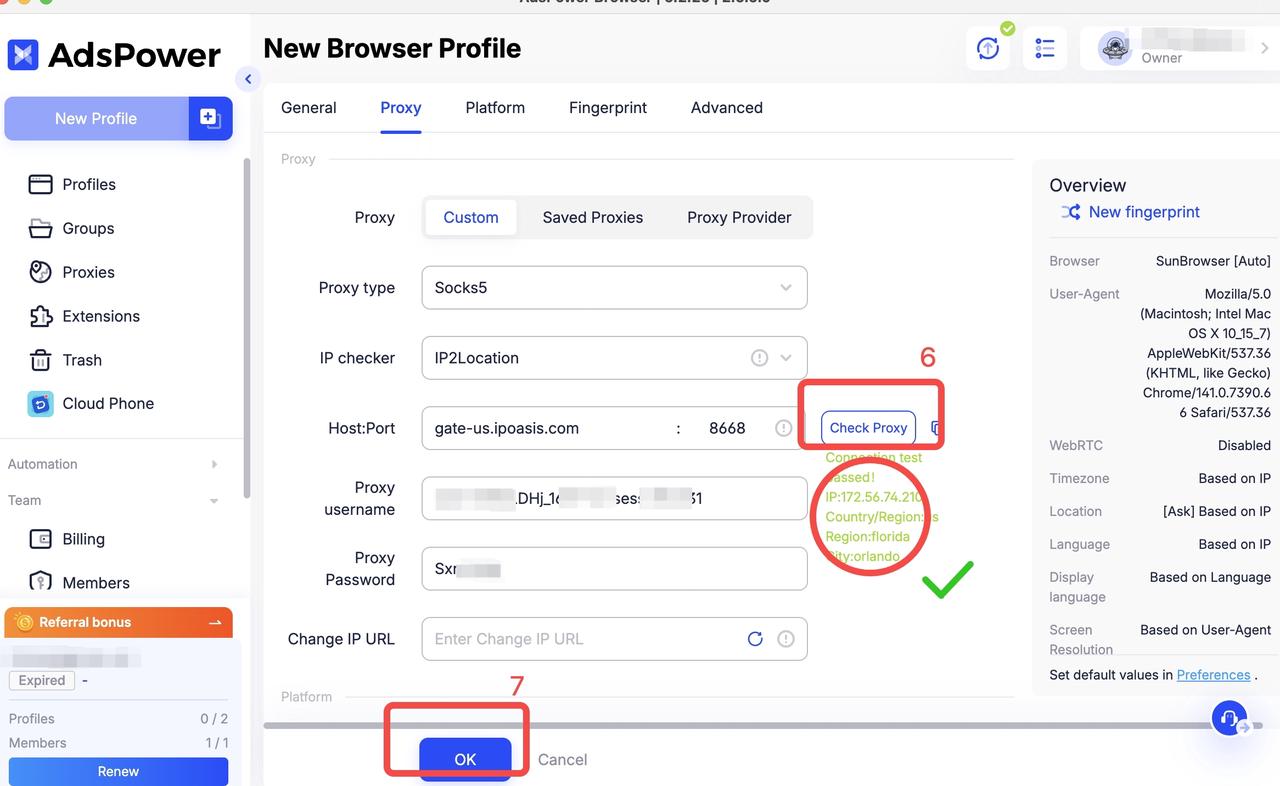
In the Check Proxy step, click“ Test Proxy” in step six. If green text appears below, it means the proxy is successfully connected. Finally, click “OK” to complete the creation of the new profile.
Step5:
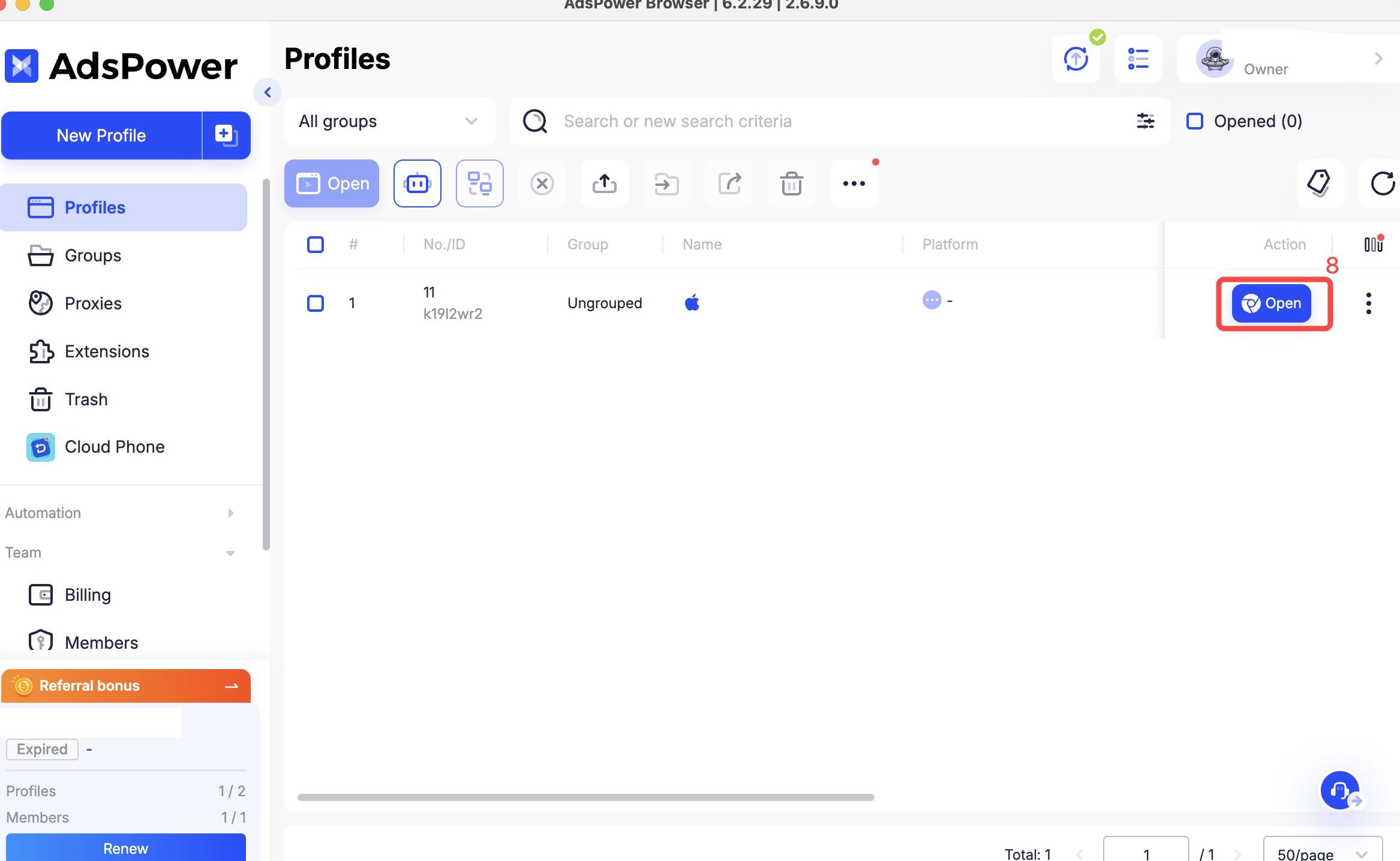
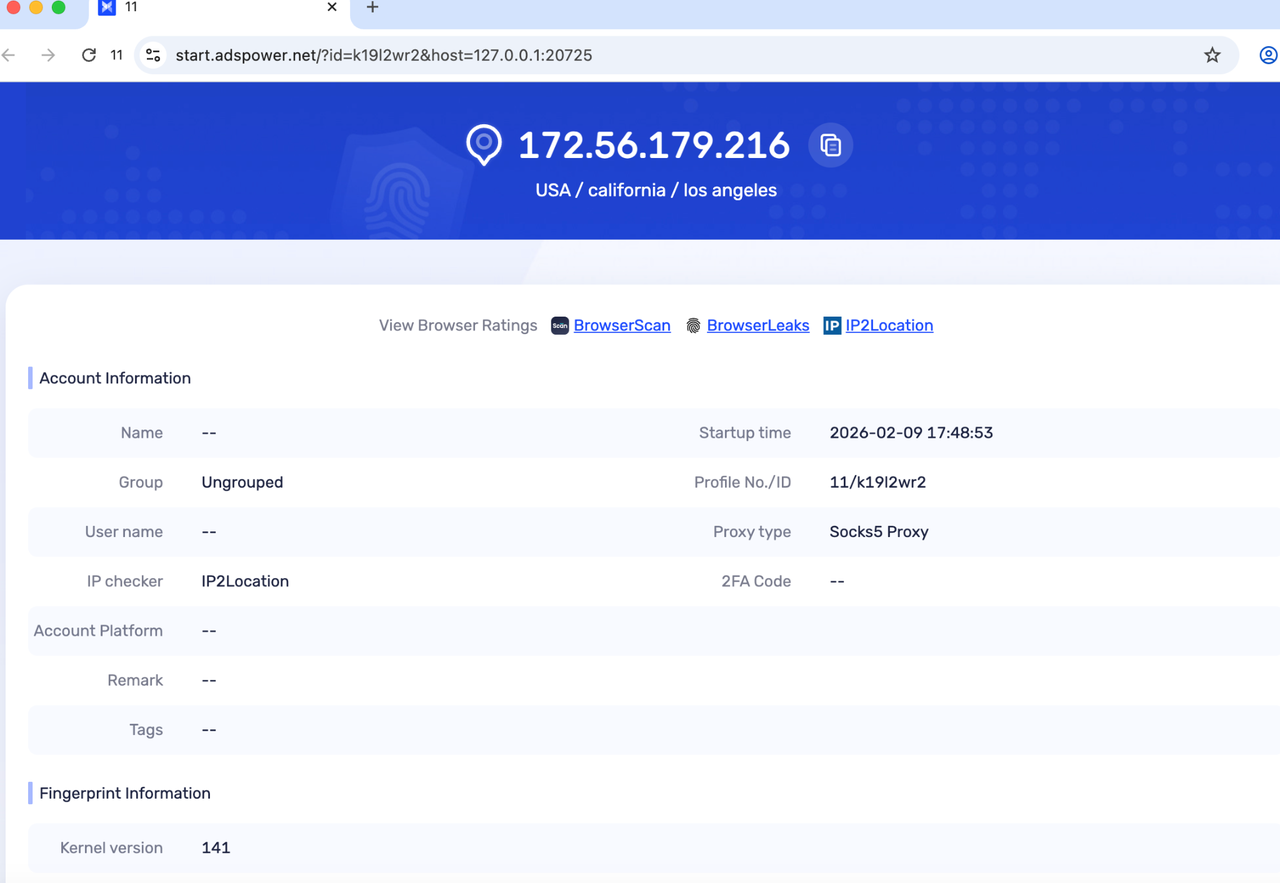
Open your newly created browser profile and start running your operations instantly!
Common Setup Tips
-
Always choose the proxy protocol (HTTP or SOCKS5) that your IPOasis plan supports.
-
If your current proxy fails the check, regenerate a new proxy from IPOasis and test again.
-
Static proxies are good for predictable sessions; rotating ones are better for automation or scraping.
Why IPOasis and Adspower Are a Perfect Match
The combination of Adspower and IPOasis is a powerhouse for multi-account operations, as Adspower provides isolated browser profiles that prevent cross-account detection and maintain unique digital fingerprints, with a clean and user-friendly interface and highly cost-effective plans. IPOasis delivers stable residential proxies to ensure each profile has a clean, reliable, and highly anonymous IP, allowing users to safely manage multiple accounts, access geo-restricted content, and achieve higher success rates without triggering bans.